 Exchange Ranking
 Top Exchanges
 24h Volume Ranking
 Popularity Ranking
 Exchange BTC Balance
 Proof of Reserves
 Decentralized Exchanges
 Funding Rate
 Funding Heatmap
 Liquidation Data
 Max Pain
 Long/Short Ratio
 Whale L/S Ratio
 Binance/Okex/Huobi L/S
 Bitfinex Margin L/S
 ETF Tracker
 Solana ETF
 XRP ETF
 Hong Kong ETF
 Bitcoin Treasuries
 Crypto Reversal
 Ethereum Reserves
 HyperLiquid Wallet Analysis
 Hyperliquid Whale Watch
 Large Transactions
 On-chain Movement
 Bitcoin ROI
 Stablecoin Market Cap
 Options Analysis
 News
News Articles
 Economic Calendar
 Features
 Wallet
 Contract Calculator


 Security
 Collections
 Watchlist
 Following
 BTC
BTC Firmware version 9.26.5: Detailed explanation of BitBox02 security updates
If you own a BitBox02, this article only needs to remember one number: 9.26.5. This is a firmware version released by the Swiss manufacturer under the name "Dixence" on August 17, 2026. It fixes three security vulnerabilities in the device. BitBox officials said there were no reports of user funds stolen and existing seeds had not been affected. Therefore, your recovery phrase is still valid and your currency does not need to be transferred. What you need to do is update and quickly check which of these three vulnerabilities will affect your device before updating.
This article analyzes these three vulnerabilities one by one, explains the model and firmware version affected by each vulnerability, and shows how to complete updates through non-counterfeit applications. Finally, it will clearly tell you what does not need to do. After a security notice is issued, the most common mistake is a hasty response, not the vulnerability itself.
What issues did BitBox fix with Dixence Firmware Update 9.26.5?
Dixence is a firmware update for BitBox02 and BitBox02 Nova hardware wallets. Firmware refers to software that permanently resides inside the device and is responsible for the actual work: generating keys, signing transactions, and driving screens. It's different from the BitBoxApp on your computer, which only provides a user interface.
According to the manufacturer, the update fixes three security issues. Two of them were fixed for the first time in this release; the third was fixed in a July update called Oeschinen and was later re-upgraded. Regarding the specific number of the July version, there are differences in the different language versions notified by the manufacturer: the English version is marked as 9.26.2, and the German version is marked as 9.26.3. In fact, it doesn't matter, because in either case, only 9.26.5 covers all three issues.
Important background: According to BitBox, these three vulnerabilities have never resulted in any financial loss. The company said it had not received any reports of exploitation and that wallet seeds were never at risk. This is a manufacturer's statement about its own equipment and is not the result of an independent investigation, but specific enough to be believed to be authentic and distinguished from actual incidents.
That's what makes it different from other cases this summer. In the Coldcard firmware vulnerability, the seeds were indeed affected and funds have flowed out. The vulnerability involved in Dixence was discovered before it was exploited. Both are firmware notifications that require a user response, but the requirements you make are completely different.
Boot Loader Vulnerability: Why BitBox upgraded its rating afterwards
Boot loaders are the first Mini programs to run when a device boots on, which determines which firmware to boot. Therefore, it is responsible for checking whether the firmware is genuine. This is exactly the problem.
Affected are BitBox02 devices with firmware versions 9.26.1 and earlier. According to the manufacturer, BitBox02 Nova is not affected by this vulnerability. The vulnerability was initially discovered by an internal team at the company; Jan Wütherich of German security testing provider SySS GmbH later reported the same issue.
The attack path is quite complex, which needs to be explained truthfully. An attacker must first trick you into installing a fake version of BitBoxApp through a phishing attack. Only this tampered application can push forged firmware to a genuine device, and you need to unlock the device in the process. BitBox described the capabilities required to implement this attack as "high." However, once the attack chain is successful, the attacker can steal the coin. That's why ratings are raised when viable utilization paths emerge. The German version labeled severity as "high" and the English version as "severe." [TAG
The actual lesson here is much earlier than this update: hardware wallets protect your keys from compromised computers, but they don't protect you from installing faulty software on your own. To see how different device categories solve this fundamental problem, see Hardware Wallet Comparison.
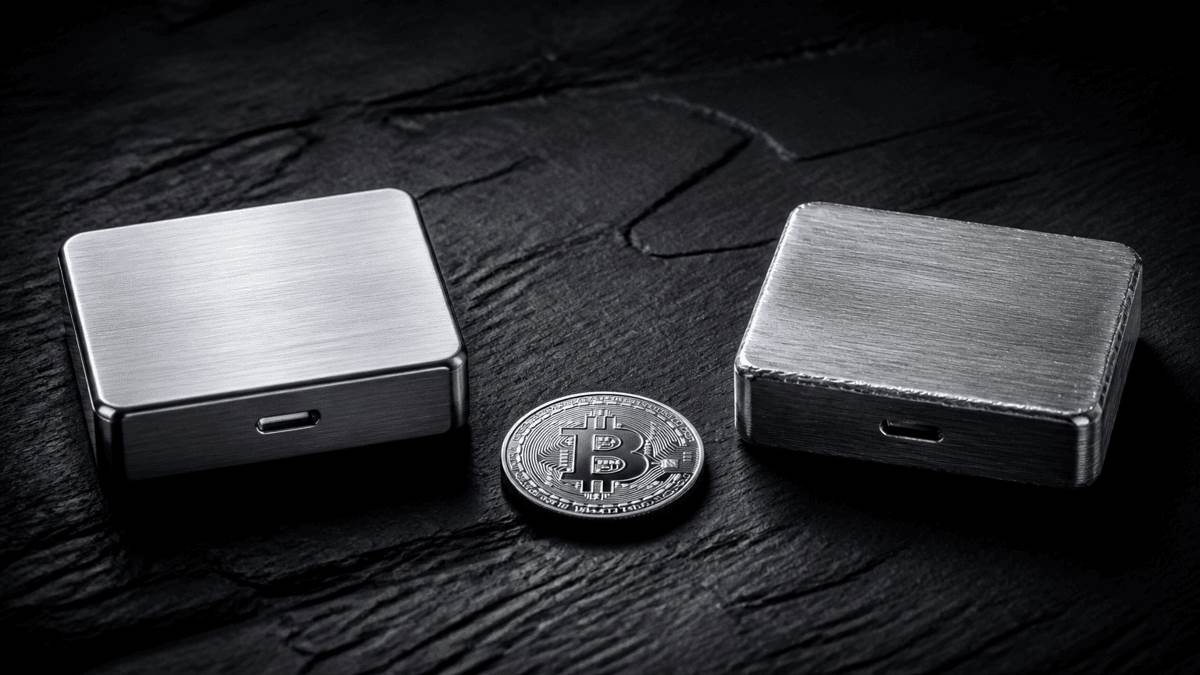 Boot loader vulnerabilities become dangerous only if someone provides you with a fake application: the device in your hand is genuine, but the software in front of the device is not.
Memory flaw in Multi version: Which users does the second vulnerability affect
The second vulnerability is the only vulnerability related to the exact version of your device. BitBox sells two versions of BitBox02: a Bitcoin-only version that only supports Bitcoin, and a Multi version that supports multiple crypto assets. Memory defects affect the Multi version; the German version also mentions Nova's Multi version. According to the manufacturer, the Bitcoin-only version will not be affected.
Devices with firmware versions 9.26.4 and earlier are affected, and the conditions are strict: the vulnerability will only take effect if a wallet has not been set up on the device and it is connected to a tampered host device. In this case, arbitrary code may be executed, which in the worst case may lead to firmware tampering and financial loss. The manufacturer classified the problem as serious and said it was an internal discovery.
For most readers, this is reassuring: Anyone who set up a device months ago and has been using it does not fall into this category. The breach is urgent for two groups: people who have unused devices (in drawers) and plan to connect them for the first time in the near future; and people who buy devices from second-hand markets or unofficial sources and reset them before setting them up. Both cases follow the same order, which is the practical guide for this section: upgrade the firmware to 9.26.5 first, and then create the wallet.
Silent payment explanation: How to stick coins at unexpected addresses
Silent payment is a process that lets you publish a fixed collection address and the sender derives a separate address for each payment. For outsiders, payments can no longer be linked to the same person. This process solves a practical problem because publicly using a reuse address makes your entire payment trajectory traceable.
This vulnerability affects BitBox02 and BitBox02 Nova with firmware versions between 9.21.0 and 9.26.4. A tampered host device may tamper with silent payment transactions, binding coins to unexpected payment addresses. BitBox classifies it as potentially serious, while clearly drawing the line: direct theft cannot be achieved through this route.
This difference deserves a separate explanation. The coins were in the hands of the attackers when the theft occurred. Here, coins arrive at an address that neither you nor the attacker can control alone; recovery requires cooperation between both parties. Manufacturers listed extortion attempts as a possible motive. In effect, this means that money will not be lost, but it will get stuck.
BitBox supports its assessment that the "vulnerability was never exploited" and provides understandable evidence: no users have reported silent payment failures. Such attacks are immediately detected by the recipient because the expected payment does not arrive.
Are you affected? Three-step check of firmware version and version type
In less than a minute, two questions can be answered at the same time: firmware version and version type.
Open BitBoxApp and connect your device. The app displays connected devices immediately after you unlock them. Switch to device settings to see the installed firmware version. Any version lower than 9.26.5 belongs to at least one of the vulnerability windows mentioned above. At the same location, the app will show whether this is Bitcoin-only or Multi. Only the Multi version is affected by memory defects.
This leads to a simple mapping: Firmware 9.26.5 or update-no action is required, all three issues have been overwritten; Firmware 9.21.0 to 9.26.4-silent payment has a vulnerability, and if the device has not been configured, Multi version also has a memory defect; Firmware 9.26.1 or earlier-in addition to a boot loader vulnerability.
Firmware update to 9.26.5: How to avoid catching fake applications
The update path is not complicated, the most important part is the source. Because the most serious of the three vulnerabilities was achieved by counterfeiting BitBoxApp, where the app was downloaded is more critical than the update itself.
BitBox explicitly recommends triggering updates from installed apps: via the update banner within the app or directly clicking on the version number. This way you bypass all search engines and advertising and avoid fake versions mixing in. If you need to download the app again, please make sure to go through the official website. In addition, the signature of the application itself can be verified to ensure that the application and firmware indeed come from the manufacturer.
Next steps: Update the application to the latest version, connect the device, and install new firmware in "Device Management" of the device settings. On mobile devices, apps may update automatically, but you still need to manually pull the firmware. In addition to security fixes, Dixence also brings bug fixes for swapping functions under iOS and iPadOS, as well as a number of minor improvements involving Data Mask processing, encryption operations, input verification, and prevention of unexpected device states.
One note on the other side of the software: BitBoxApp is the manufacturer's user interface and is not the only way to manage balances. Which programs can connect to hardware devices and how they are different, please refer to the software wallet comparison. However, for the update itself, the official channel is still the right choice.
 In the silent payment vulnerability, coins are not lost, but are frozen: visible and attributable, but inaccessible without a matching key.
Seeds, balances and recovery: Things you clearly don't need to do
After a security notice is issued, it's easy for people to immediately want to do everything again. And this is the mistake that leads to the real loss. So here is a list of things you don't have to do.
You don't have to generate new seeds. BitBox made it clear that existing wallet seeds are not affected by any of the three vulnerabilities. This is the core difference from the Coldcard case, where seed generation was inherently flawed and had to be migrated to new seeds.
You don't have to send coins back to the exchange. Temporarily transferring the balance to another person's account because your wallet needs to be updated is exchanging a controllable risk for a greater risk.
You don't have to type recovery mnemonic words anywhere. Firmware updates never require you to enter a seed on your computer or website. Any such reminder is an attack, no matter how credible the page may seem. If you do want to check the recovery mnemonic, you should do it on a second device, not the computer you normally work on.
You don't have to replace the equipment. All affected models can receive the repaired firmware and there are no hardware defects that require replacement.
Hardware wallet security: What an update report says
It is easy to infer that a product is unsafe from three vulnerabilities in an update. However, this calculation does not hold true because of structural factors.
Every hardware wallet contains software, and any program worthy of the word "software" has errors. The difference between manufacturers is not whether errors occur, but whether errors are discovered, named and fixed before they are exploited. A manufacturer can individually describe three weaknesses, indicate the scope of versions affected, and post facto upgrade the rating of the fixed vulnerability (because of the availability), which is exactly what we expect. Silent alternatives are the worse news.
One detail in the security process is worth noting. BitBox called the review the most extensive review of its codebase ever and noted that it also used AI models for external audits. According to the company, external reviewers found no key weaknesses; the three issues that have now been fixed are largely attributed to its internal team. A single audit is not sufficient to judge the robustness of machine-assisted code review in this area, but it is still valuable as a record of observing current changes in review practices.
Regarding the device selection issue that we discussed in detail after the Coldcard case, namely,"Which hardware wallets are still worth considering after the lessons learned by Coldcard," the short version is: Update practices and disclosure behavior should be included in purchasing decisions and take precedence over price.
Daily security updates: How to know the next case earlier
This week's process will be repeated at every manufacturer: notices are released, industry media follows up, and some users only heard about it weeks later or didn't know it at all. Three habits can shorten this path.
Subscribe directly to the manufacturer's channel. The manufacturer's blog or newsletter is the source of everyone's citations. Reading directly saves latency and obtains the original form of the version number.
Check firmware versions on fixed dates. For most open positions, once a quarter is sufficient. Fixing dates is more important than spacing because it decouples censorship from the news cycle.
Keep your own equipment list in writing. People who own multiple devices will forget which one is in which version. The model number, version type, purchase date and last installed firmware can be listed on one piece of paper. If you are already doing an overview of your positions (for example, for tax returns), you can add an equipment column; refer to Tax and Portfolio Tool Comparison for appropriate procedures.
Check BitBox firmware updates: summary of key points
Read the firmware version and update it to 9.26.5. Open BitBoxApp, connect the device, and read the version in the device settings. Any version lower than 9.26.5 requires updates and is done through an update banner within the installed app. If this incident makes you wonder whether your device is still suitable, a hardware wallet comparison can help evaluate.
Update unused devices before setting them up. Memory flaws in the Multi version only take effect before wallet settings. Therefore, whether it is a new device or a second-hand device, the order must be reversed: firmware first, seeds later. After that, you can refer to the software wallet comparison for daily management of which software to use.
Leave the seed unchanged and record the operation. There is no reason to regenerate the recovery mnemonic or enter it anywhere. Instead, note the date and new firmware version in the device list. This is the same as the documentation discipline for positions and transactions, such as the procedures in the comparison of using tax and portfolio tools.